Hosted checkout
Create a checkout session on your server, redirect the payer to the URL it returns, and Aptean hosts the entire payment page. You write no payment UI at all.
Use this for eCommerce and third-party storefronts. If you want the payment form inside your own page, use the JS SDK instead.
Note
Hosted checkout must be enabled for your merchant account before it will work. Ask Aptean support to enable it and to issue you a checkout API key and product ID — an ordinary API key will not do.
Headers
Hosted checkout needs four headers. x-aptean-product is mandatory here because your API key
is provisioned as a checkout consumer:
{
  "x-aptean-apim": "<your checkout api key>",
  "x-aptean-product": "<your product id>",
  "x-aptean-tenant": "<your tenant id>",
  "x-aptean-tenant-secret": "<your tenant secret>"
}
Warning
Omitting x-aptean-product gives you FORBIDDEN [6]. See
Authentication.
The mutation
mutation CreateCheckoutSession($input: CreateCheckoutSessionInput!) {
  createCheckoutSession(input: $input) {
    message
    code
    error
    errorReason {
      code
      message
      details {
        code
        message
      }
    }
    checkoutSession {
      id
      checkoutUrl
      successUrl
      cancelUrl
    }
  }
}
Variables
{
  "input": {
    "amount": 12500,
    "currency": "USD",
    "successUrl": "https://your-store.example.com/order/complete",
    "cancelUrl": "https://your-store.example.com/basket",
    "immediateCapture": true,
    "failOnReview": false,
    "orderDetails": {
      "customerReferenceNumber": "CUST-4471",
      "orderType": "goods",
      "shortDescription": "Order 10042",
      "taxAmount": 1000,
      "lineItems": [
        {
          "description": "Annual support",
          "currency": "USD",
          "quantity": 1,
          "unitOfMeasure": "each",
          "unitPrice": 11500,
          "totalAmount": 11500
        }
      ]
    },
    "payerDetails": {
      "name": "Jane Doe",
      "email": "jane@example.com",
      "address": {
        "line1": "100 Main Street",
        "line2": "Suite 4",
        "city": "Atlanta",
        "region": "GA",
        "postalCode": "30328",
        "country": "US"
      },
      "phone": {
        "countryCode": "1",
        "number": "5551234567"
      }
    }
  }
}
Warning
successUrl and cancelUrl must be complete URLs including the scheme —
https://…. A bare host or a relative path is rejected.
All monetary fields — amount, taxAmount, unitPrice, totalAmount — are in minor units.
12500 is $125.00.
The response
{
  "data": {
    "createCheckoutSession": {
      "message": "Checkout session created.",
      "code": "SUCCESS",
      "error": null,
      "errorReason": null,
      "checkoutSession": {
        "id": "c8b93d8e-7447-4798-bf50-3751b7f8f4c1",
        "checkoutUrl": "https://stg.checkout.apteanpay.com/c8b93d8e-7447-4798-bf50-3751b7f8f4c1",
        "successUrl": "https://your-store.example.com/order/complete",
        "cancelUrl": "https://your-store.example.com/basket"
      }
    }
  }
}
Store checkoutSession.id, then redirect the payer to checkoutUrl.
The checkout page is hosted at:
| Environment | Host |
|---|---|
| Staging | https://stg.checkout.apteanpay.com/ |
| Production | https://checkout.apteanpay.com/ |
Taking the payment
- Redirect the payer to
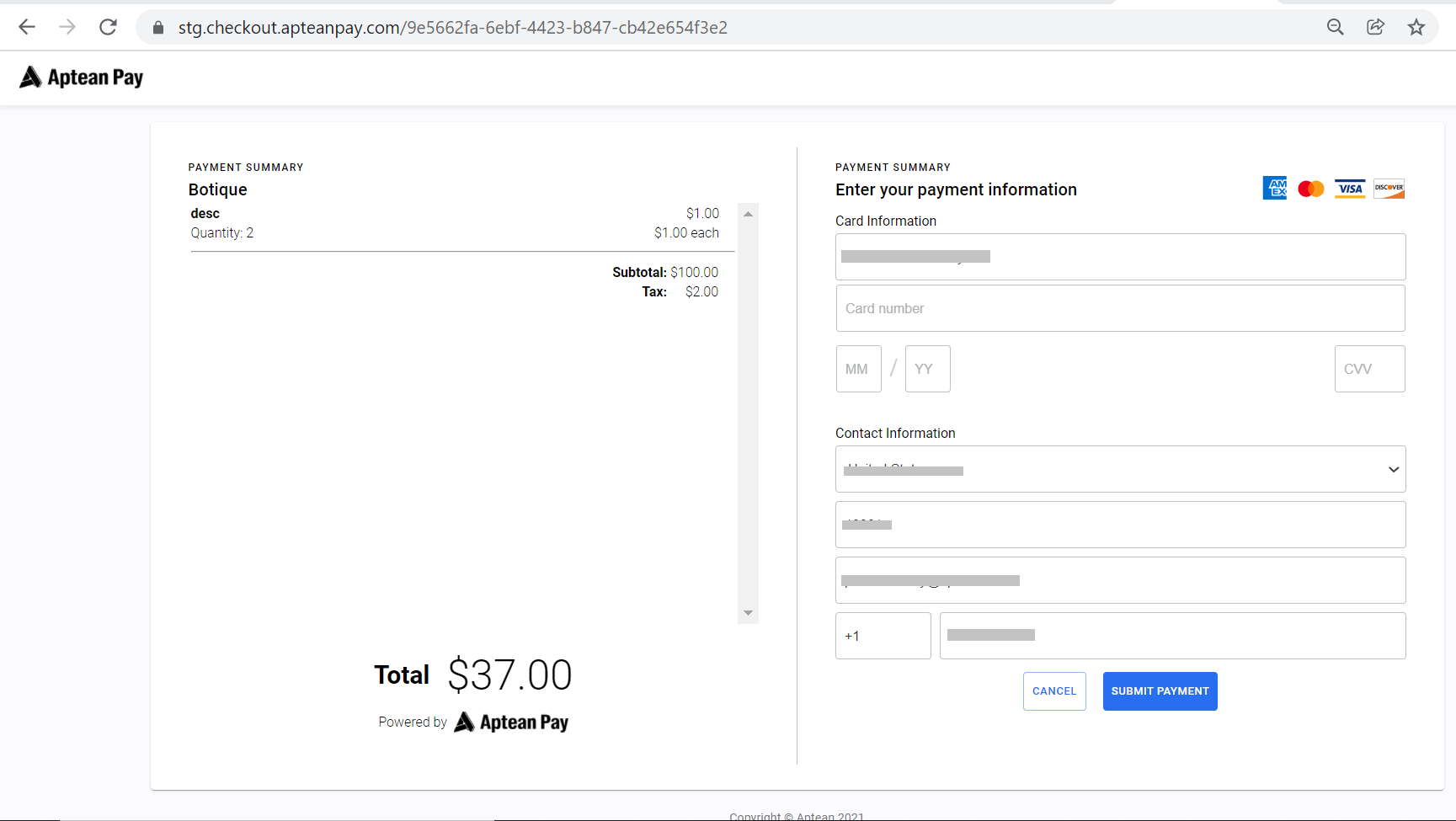
checkoutUrl. - They land on the Aptean Pay checkout page.
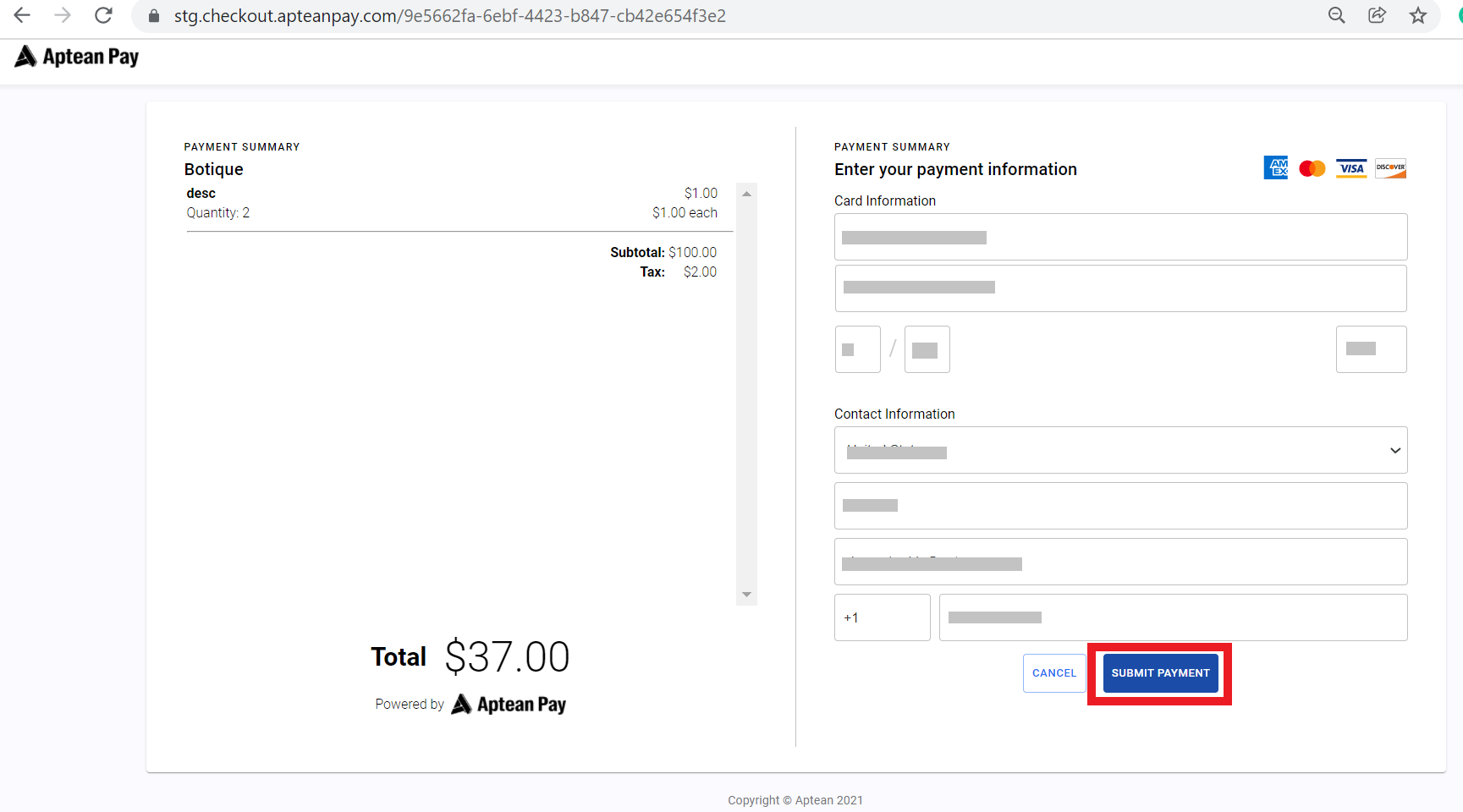
- They enter card and contact details and click Submit payment.
- On success Aptean Pay redirects them to your
successUrl. If they abandon, they go tocancelUrl.
Confirm the payment on your server
Warning
A redirect to successUrl is not proof of payment. It is a browser
navigation — the payer can visit that URL directly, and a dropped connection can lose it
entirely. Never fulfil an order on the strength of the redirect alone.
Before you ship anything, query the session server-side:
query CheckoutSession($input: CheckoutSessionInput!) {
  checkoutSession(input: $input) {
    id
    status
    paymentId
    amount
    currency
  }
}
Note
The session id goes inside an input object — checkoutSession(input: { id: … }), not
checkoutSession(id: …).
status is one of:
| Status | Meaning |
|---|---|
NEW |
Created, not yet paid. The payer has not finished. |
COMPLETED |
Paid. paymentId is now populated. |
CANCELED |
The payer abandoned it, or it was cancelled. |
Fulfil only on COMPLETED. Then take paymentId and check the payment itself —
Payment status — because a completed session can still hold a PENDING
payment.
Treat your own server's read of the session as the truth, and the redirect as a hint about where to send the browser.